03 — Software
Custom business software
If your trade contains a task you redo identically, it can probably be written once and for all. That is exactly how ListoMax started, in 2011, facing an empty shop and two hundred products to create.
What I build
Repetitive tasks, automated
Double entry, copying between two programs, files to rename, exports to rework. Anything you do identically can be done by a machine, without mistakes and without tiring.
Connectors to your own tools
Your till software, your online shop, your spreadsheet, your accountant. Every platform has its rules: the software speaks their language for you and translates between them.
Large volumes and offline work
Thousands of records, heavy photos, a job that takes time. A desktop machine handles that far better than a browser tab, and without depending on a perfect connection.
Distribution and licensing
Installer, licence key, updates, first-install guide. If you want to sell your software, the whole chain is part of the project.
How it works
-
01
Watch the task
I watch how you do the job today, for real, with your own files. That is always more instructive than the description people give of it.
-
02
Count what it costs
How many times a week, how many minutes each time. If there are no hours to be saved, I say so: not every problem deserves software.
-
03
Prototype on your real data
A first version that processes a real sample. We check the result is right before dressing anything up.
-
04
Interface and awkward cases
The particular cases of your trade are half the work: the exceptions, the items that do not fit the box, the errors to recover from cleanly.
-
05
Installation and getting started
Installer, guide, and the time it takes for the tool to enter your habits. Software nobody uses has solved nothing.
ListoMax, or the need that comes from yourself
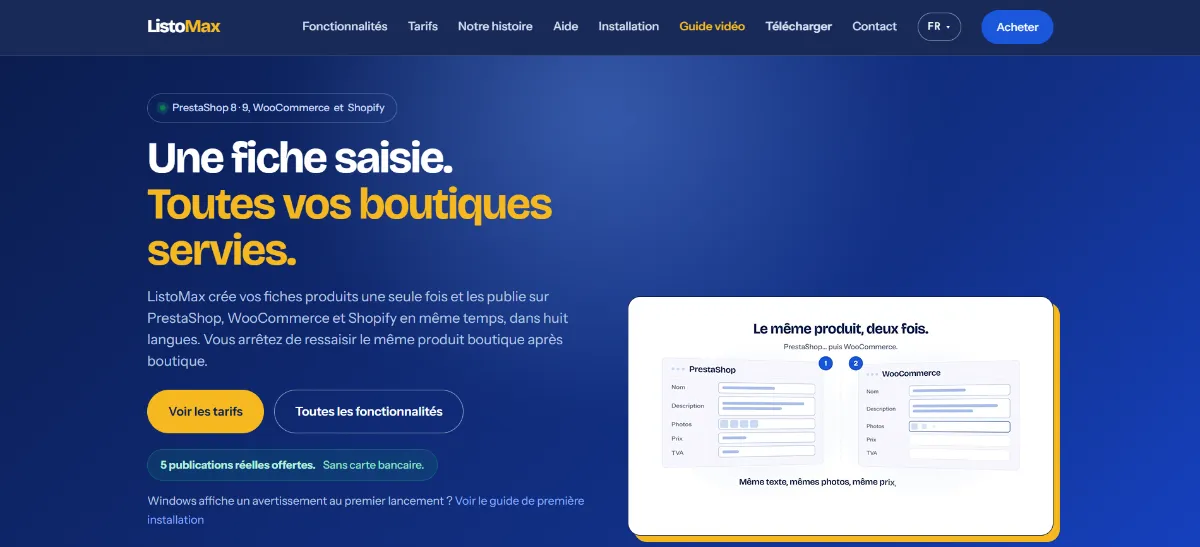
ListoMax did not come from a commission or from market research. In 2011 I had a PrestaShop shop and a week to fill it: two hundred products, most of them in several colours and sizes, each variant needing to become a full listing with its reference, its photos and its description.
After two days the arithmetic was plain: at that rate it would take a month. I stopped typing and wrote a tool to do it for me. Crude, ugly, with nothing worth calling an interface — but it generated the listings and sent them to the shop. The week was enough.
That is the typical shape of business software: it does not begin with an idea, it begins with an hour lost that you refuse to lose again.
What that first tool taught
That the problem is almost never the data entry itself, but the repetition: the same product typed twelve times for twelve colours.
That existing tools often answer a different question. The shops’ own CSV imports handle large structured volumes well, but they assume the file already exists and is clean. They do not help you create the variants.
And that the real difficulty lies in the details of the trade, not in the principle. A parent category left unattached and the product appears nowhere. A VAT rate missing from the shop and the listing goes out tax-free. That half of the work is the half no generic software does for you — and it is exactly what we build together.
Never a silent failure
This is the principle behind everything I ship as software. A user cannot open a developer console to work out what happened. If something fails, they must see it on screen, know which item is affected and why.
A visible error can be fixed; a silent one loses data without anyone noticing. It does not show on a sales page, but it is what separates a tool people keep from a tool they abandon after three weeks.
If your need leans more towards several people sharing the same thing, then what you want is a web application.
This trade, online
Frequently asked questions
Installed software or web application: how do I choose?
Installed software wins when there are large volumes, heavy local files, long processing jobs or a need to work without a reliable connection. A web application wins when several people must see the same thing at the same time, from different places. We decide by looking at how you actually work, not at the fashion of the moment.
Why Windows?
Because it is what the great majority of workplace machines run, and because it is better to ship one tested platform than three approximate ones. ListoMax follows the same logic: the macOS version is planned after Windows, and Linux is considered afterwards depending on demand. If your team works on Mac, that is a decision to take at the start of the project, not after the fact.
Windows shows a warning on first launch — is that normal?
Yes, and it is taken seriously. Windows SmartScreen distrusts any software it sees rarely. A first-install guide explains the steps to users, and code signing makes the warning disappear: that is an annual cost, decided together depending on how widely you plan to distribute.
Who owns the software?
You do. The source code is yours, and nothing ties you to me afterwards. If you want to sell it in turn, it is your product.
What about updates?
Software that talks to outside platforms has to follow their changes: a shop changes its API, and you have to adapt. That is planned from the start — either case by case, or through a regular arrangement.
How do I know whether my need justifies software?
Ask the question in minutes. A twenty-minute task repeated three times a week is fifty hours a year. Write me two lines about what you keep redoing: I will tell you honestly whether it is worth building, or whether a setting in a tool you already have is enough.
The other trades
Page updated on — written by Yvan Barbaggio.
A question that is not on the list? Ask it in two lines, I answer within 48 working hours.